
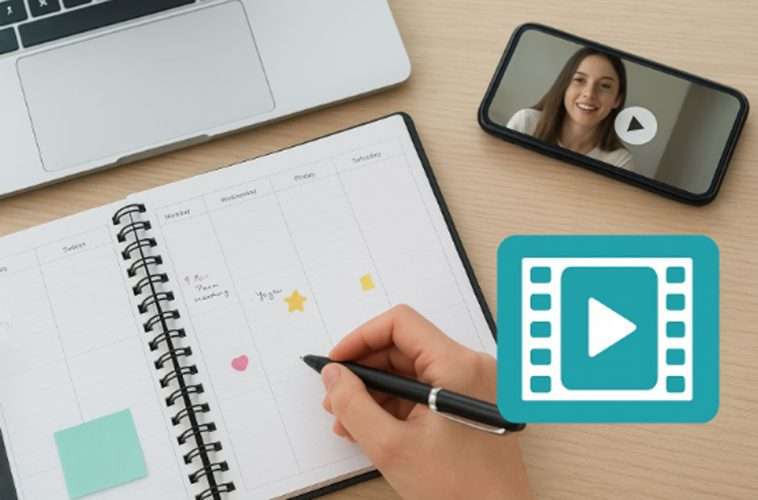
AI Video Creation: Your Planner’s New Best Friend
As someone who spends time planning, organizing, and creating, you know that a good system can make or break your productivity. Whether you’re flipping through your planner binder, adding planner stickers, or sketching layout ideas, every tool you use is about making your work easier and more effective. Today, one of the most powerful tools available to you is AI video creation, especially when it comes to transforming still images into dynamic visuals. With technologies like photo to video AI, you can bring fresh energy to your projects, whether for personal use, content creation, or professional presentations.
Why AI Video Fits Right Into Your Planner
Your planner, be it a digital one or a physical binder, helps you structure your day and visualize your goals. Adding video creation powered by AI to your toolkit extends this principle. Just as planner stickers highlight important moments and blogging planners map out your publishing schedule, AI-generated videos bring static visuals to life in ways that enhance clarity and engagement.
Think about it this way: when you plan your week, you may schedule posts for social media, brainstorm content ideas, or even draft pitches for clients. In each of these areas, video often outperforms static images. By turning images into engaging video clips, you create content that resonates with audiences across platforms.
The Role of Image-to-Video in Content Creation
The ability to transform an image into video content through AI opens up endless opportunities. For social media marketing, this means turning product photos into engaging Instagram reels, TikTok clips, or Facebook ads. You can showcase a product in motion, add text overlays, or create quick promotional content that grabs attention in seconds.
For brand storytelling, you can take behind-the-scenes photos or lifestyle images and bring them alive in video form. The same applies to professional contexts; AI can help you create intros for business videos, clips for training sessions, or visuals for meetings and pitches, all by starting with just a still photo.
This is where platforms like Invideo AI stand out. By using its photo to video AI tool, you can upload any image, whether it’s a product snapshot, a blog graphic, or even a personal memory, and transform it into a video format. This process feels seamless and natural, empowering you to work more efficiently without needing advanced video-editing skills. For planners like you, it’s a bridge between creativity and productivity.
Supporting Your Planner Workflow
If you’re someone who loves mapping out your content in a blogging planner, adding video creation to your process helps you stay ahead of the curve. Imagine sketching layout ideas for your content calendar and knowing you can instantly convert supporting images into video clips. This speeds up your workflow and makes your planning more actionable.
The same goes for personal planning. Whether you’re designing themed spreads with planner stickers or organizing family events in your binder, video can add a new dimension. Think about turning your favorite family photos into short videos for weddings, birthdays, or travel albums. These moments become more than just memories on paper; they become stories you can share and relive.
Professional and Personal Applications
AI video tools also help you balance both personal and professional projects:
- Social Media Marketing: Transform product shots into scroll-stopping video ads.
- Brand Storytelling: Animate images for Instagram or TikTok to connect with your audience.
- Content Creation: Use stills from photo shoots or blog graphics as the base for video intros, reels, or promotional clips.
- Business Communication: Generate professional clips for pitches, training modules, or meeting visuals.
- Personal Projects: Turn wedding or birthday photos into moving, memorable videos.
- E-commerce: Create feature highlights, lifestyle demonstrations, or demo clips straight from product images.
In all these cases, video becomes an extension of your planner system, helping you execute ideas more dynamically.
AI as Your Creative Support System
One of the most exciting aspects of AI is how it acts as a support system for your creativity. You don’t need to start from scratch, and you don’t need advanced video-editing skills. Instead, you can focus on your vision, whether it’s a themed planner spread, a blogging strategy, or a product launch, and let AI handle the execution of video creation.
In this sense, AI becomes like the best set of planner stickers you’ve ever used: flexible, versatile, and tailored to your needs. It helps you highlight what matters most, whether you’re working on personal memories or professional campaigns.
Even if you’ve never considered yourself a “video person,” apps like an AI video creator make the process accessible. You can start small, turning a single photo into a quick clip, and gradually build more complex projects as your comfort level grows. The key is that you remain in control, using your planner to map out ideas while AI turns those ideas into engaging video content.
Conclusion: A Planner’s Best Friend
As you refine your planning process, adding layout ideas, organizing with your blogging planner, and decorating with planner stickers, you’ll find that video has become an essential part of your workflow. By using photo to video AI, you can bridge the gap between still images and moving visuals, making your projects more dynamic and impactful.
From social media marketing and professional business videos to personal memories and ecommerce, AI video creation supports your goals without complicating your routine. It’s not about replacing your planner; it’s about enhancing it. For someone like you, who values structure and creativity, AI video is truly your planner’s new best friend.